
Table of Contents
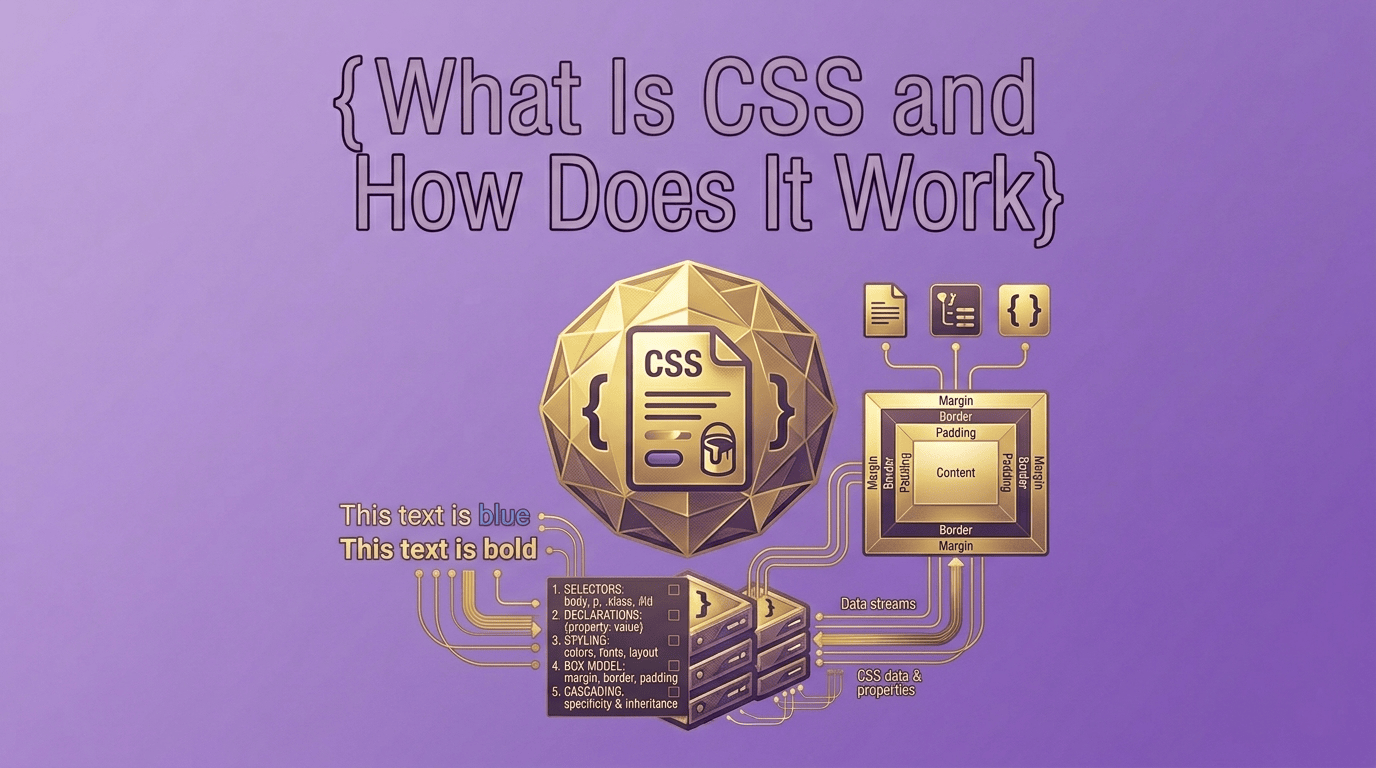
When you visit a modern website, you see colors, fonts, layouts, buttons, animations, spacing, and responsive designs that adapt to different screen sizes. While HTML provides the structure of a webpage, CSS is responsible for its appearance and visual presentation.
If you’ve ever wondered what is CSS and how does it work, you’re not alone. CSS is one of the core technologies of the web and plays a critical role in creating attractive, user-friendly websites.
Whether you’re a beginner learning web development, a website owner managing your own site, or a student exploring how websites function, understanding CSS is an important step toward mastering modern web technologies.
In this guide, you’ll learn what is CSS and how does it work, how CSS interacts with HTML, why developers use it, common mistakes to avoid, and how CSS optimization can improve website performance.
What Is CSS?
CSS stands for Cascading Style Sheets. It is a stylesheet language used to control the appearance and layout of HTML documents.
In simple terms, CSS tells a web browser how elements on a webpage should look.
Without CSS, websites would appear as plain text with minimal formatting.
CSS allows developers to control:
- Colors
- Fonts
- Spacing
- Layouts
- Borders
- Backgrounds
- Animations
- Responsive design
Understanding what is CSS and how does it work helps explain why modern websites look visually appealing and professional.
Why CSS Is Important
CSS is one of the foundational technologies of the web alongside HTML and JavaScript.
Its primary purpose is to separate design from content.
This separation offers several advantages:
- Easier website maintenance
- Consistent design across pages
- Improved user experience
- Faster development workflows
- Better responsiveness across devices
Without CSS, every page would require manual styling within HTML, making websites difficult to manage and update.
How CSS Works
To understand what is CSS and how does it work, it’s important to understand how browsers process CSS rules.
CSS works by targeting HTML elements and applying styles to them.
A CSS rule typically contains three parts:
- Selector
- Property
- Value
Selector
The selector identifies which HTML element should be styled.
h1
This selector targets all H1 headings.
Property
The property defines what aspect of the element should be changed.
color
Value
The value specifies the desired styling.
blue
Combined together:
h1 {
  color: blue;
}
This rule changes all H1 headings to blue.
Basic CSS Example
Consider this simple HTML:
<h1>Welcome to My Website</h1>
Without CSS, the browser displays a default heading style.
Adding CSS:
h1 {
  color: green;
  font-size: 40px;
  text-align: center;
}
The heading now appears larger, centered, and green.
This demonstrates how CSS controls visual presentation without changing the content itself.
Types of CSS
There are three primary ways to apply CSS.
Inline CSS
Inline CSS is applied directly within an HTML element.
<h1 style="color:red;">Title</h1>
This approach is useful for quick changes but is not recommended for large websites.
Internal CSS
Internal CSS is placed inside a style tag within an HTML document.
<style>
h1 {
  color: blue;
}
</style>
This method works well for single-page projects.
External CSS
External CSS stores styles in a separate file.
styles.css
The HTML page links to the file:
<link rel="stylesheet" href="styles.css">
Most modern websites use external CSS because it improves organization and maintainability.
Real-World Example
Imagine an online store with hundreds of product pages.
If the store owner wants to change the button color across the entire website, CSS makes the task simple.
Instead of editing every individual page, the developer updates a single CSS rule:
.button {
  background-color: orange;
}
Every button using that class automatically updates.
This efficiency is one reason CSS is so important in modern web development.
CSS vs HTML
Many beginners confuse HTML and CSS.
| Feature | HTML | CSS |
|---|---|---|
| Purpose | Structure | Design |
| Controls Content | Yes | No |
| Controls Appearance | Limited | Yes |
| Used For Layout | Basic | Advanced |
A useful analogy is:
- HTML is the skeleton of a house.
- CSS is the paint, furniture, and decoration.
Both are essential, but they serve different purposes.
Common CSS Properties
Some of the most commonly used CSS properties include:
- color
- background-color
- font-size
- font-family
- margin
- padding
- width
- height
- border
- display
These properties help developers create visually appealing layouts and user interfaces.
Common CSS Mistakes Beginners Make
Using Too Many Inline Styles
Inline styles make websites harder to maintain.
Ignoring Responsive Design
Modern websites must work across desktop, tablet, and mobile devices.
Overusing !important
Excessive use of !important can make CSS difficult to manage.
Duplicate Rules
Repeating the same styles increases file size and complexity.
Not Organizing CSS Files
Poor organization can make troubleshooting difficult as projects grow.
How CSS Affects Website Performance
CSS directly impacts how quickly websites render and display content.
Large CSS files can increase loading times and reduce performance.
Website owners often optimize CSS by:
- Removing unused styles
- Combining files
- Reducing duplicate rules
- Minifying CSS code
Optimized CSS improves user experience and helps websites load faster.
How to Optimize CSS
One of the most common optimization techniques is CSS minification.
Minification removes:
- Whitespace
- Comments
- Extra formatting
- Unnecessary characters
This reduces file size without affecting functionality.
You can use our CSS Minifier tool to optimize CSS quickly and safely.
For a complete tutorial, read:
How to Minify CSS for Faster Websites
Why Developers Use CSS
Developers rely on CSS because it allows them to create attractive, responsive, and user-friendly interfaces.
Benefits include:
- Better website appearance
- Improved maintainability
- Consistent design
- Faster development
- Enhanced user experience
- Responsive layouts
Virtually every modern website uses CSS in some form.
The Future of CSS
CSS continues to evolve with new features and capabilities.
Modern CSS includes:
- Flexbox
- Grid Layout
- Custom Properties (CSS Variables)
- Animations
- Media Queries
- Advanced Selectors
These features make it easier than ever to build sophisticated websites without relying heavily on external frameworks.
Frequently Asked Questions
What is CSS and how does it work?
CSS is a stylesheet language that controls the appearance and layout of HTML content by applying styling rules to webpage elements.
What does CSS stand for?
CSS stands for Cascading Style Sheets.
Is CSS a programming language?
No. CSS is a stylesheet language used for presentation and design, not programming logic.
Why is CSS important?
CSS makes websites visually appealing, responsive, and easier to maintain.
How do I make CSS files smaller?
You can optimize CSS by removing unnecessary code and using a CSS Minifier tool.
Conclusion
Understanding what is CSS and how does it work is essential for anyone interested in websites, web development, or modern digital experiences. CSS provides the visual layer that transforms plain HTML into attractive, user-friendly webpages.
From colors and layouts to responsiveness and performance optimization, CSS plays a crucial role in how websites look and function. Whether you’re building your first website or expanding your technical knowledge, learning CSS is one of the most valuable skills in web development.
To continue your learning journey, explore our CSS optimization resources and tools to improve both website appearance and performance.
Related Tools
Related Articles
About the Author
Fadi is the founder of Prime Toolbox, where he publishes educational resources covering developer tools, SEO, website optimization, and business utilities. His goal is to help beginners understand technical concepts through practical guides and easy-to-use online tools.
Last Updated: June 2026